KeyLens
Key, chords and 808, found for you
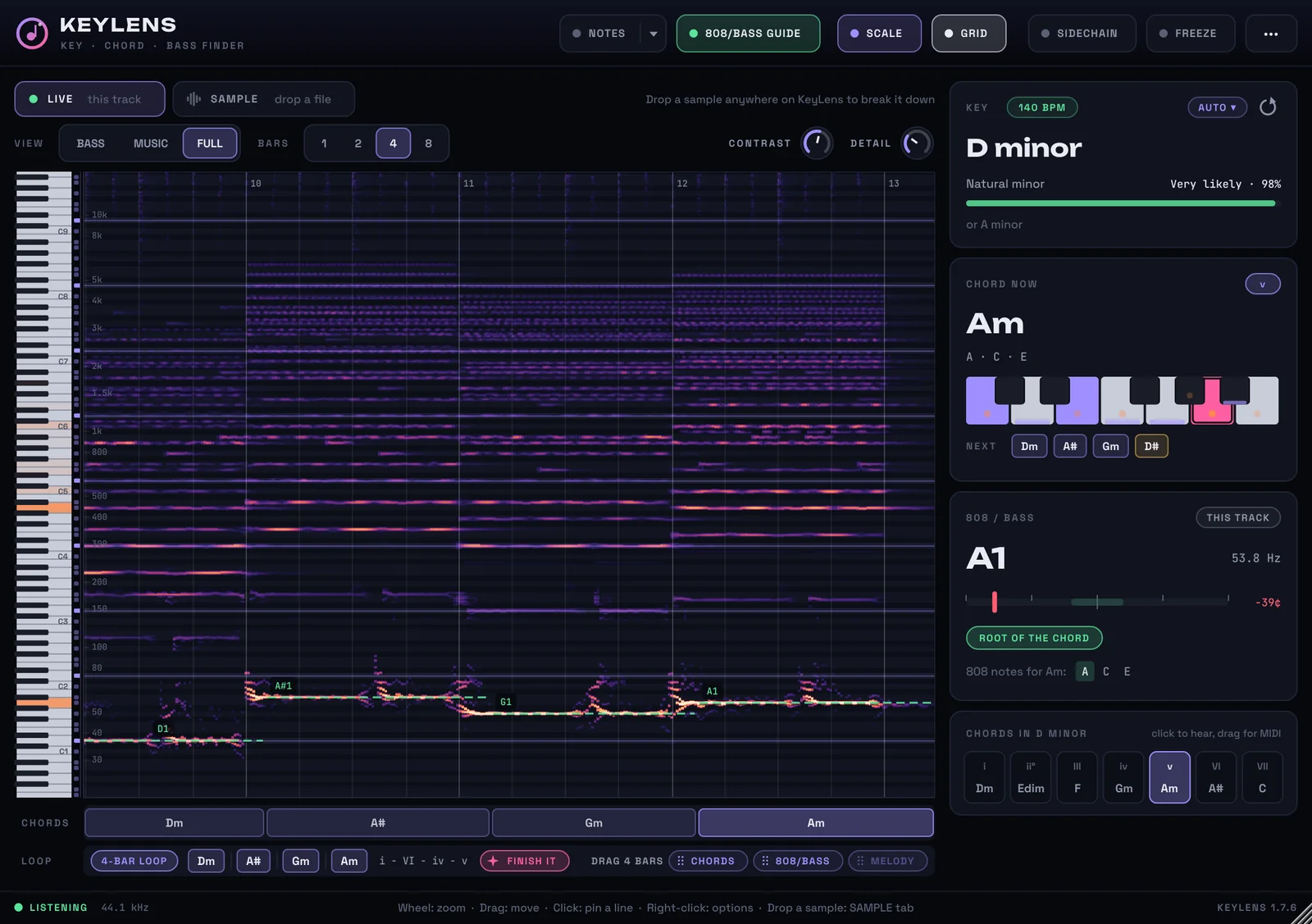
Put KeyLens on a track and it shows the key, the chord playing now and your 808's note while your beat plays. Drop in any sample to read it without playing it.
Windows 10 and 11, 64-bit. VST3, for FL Studio and other DAWs. It never changes your sound.
What key is it in?
Drop in any song or sample. This is KeyLens's own key finder, running in your browser.
Drop a song or samplePick a song or sample
Anywhere on this page. MP3, WAV, M4A, FLAC or OGG.
Read on your computer. Nothing is uploaded.
Example: Dark keys loop
C minor
Your reading appears here: the key, how sure it is, the tempo and the chords that fit.
In your DAW, KeyLens does this live as your beat plays, and also shows the chord playing now, your 808's note and every note sounding.
Made for the way you work
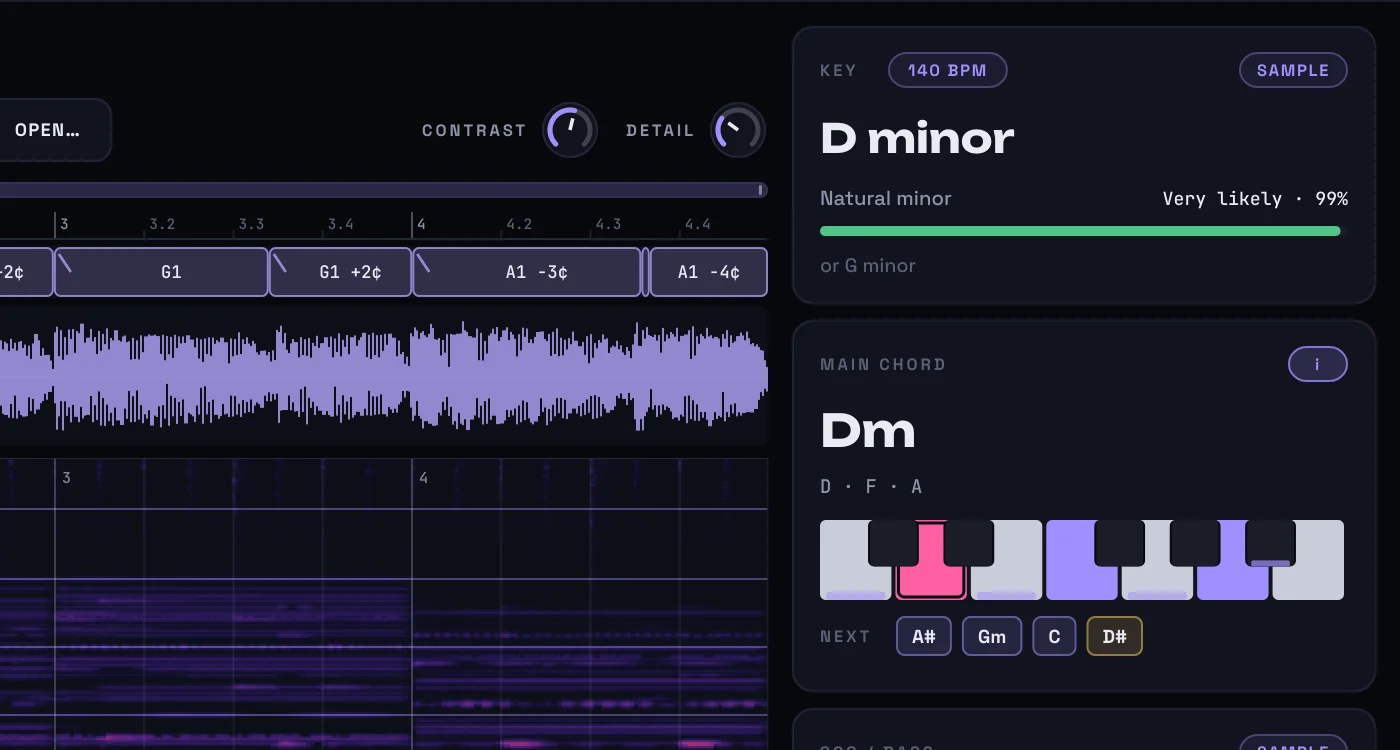
Drop a sample, get its key
Drag a loop from your pack onto KeyLens: its key, tempo, chords and notes appear without playing it, so you know if it fits before it goes in the project.
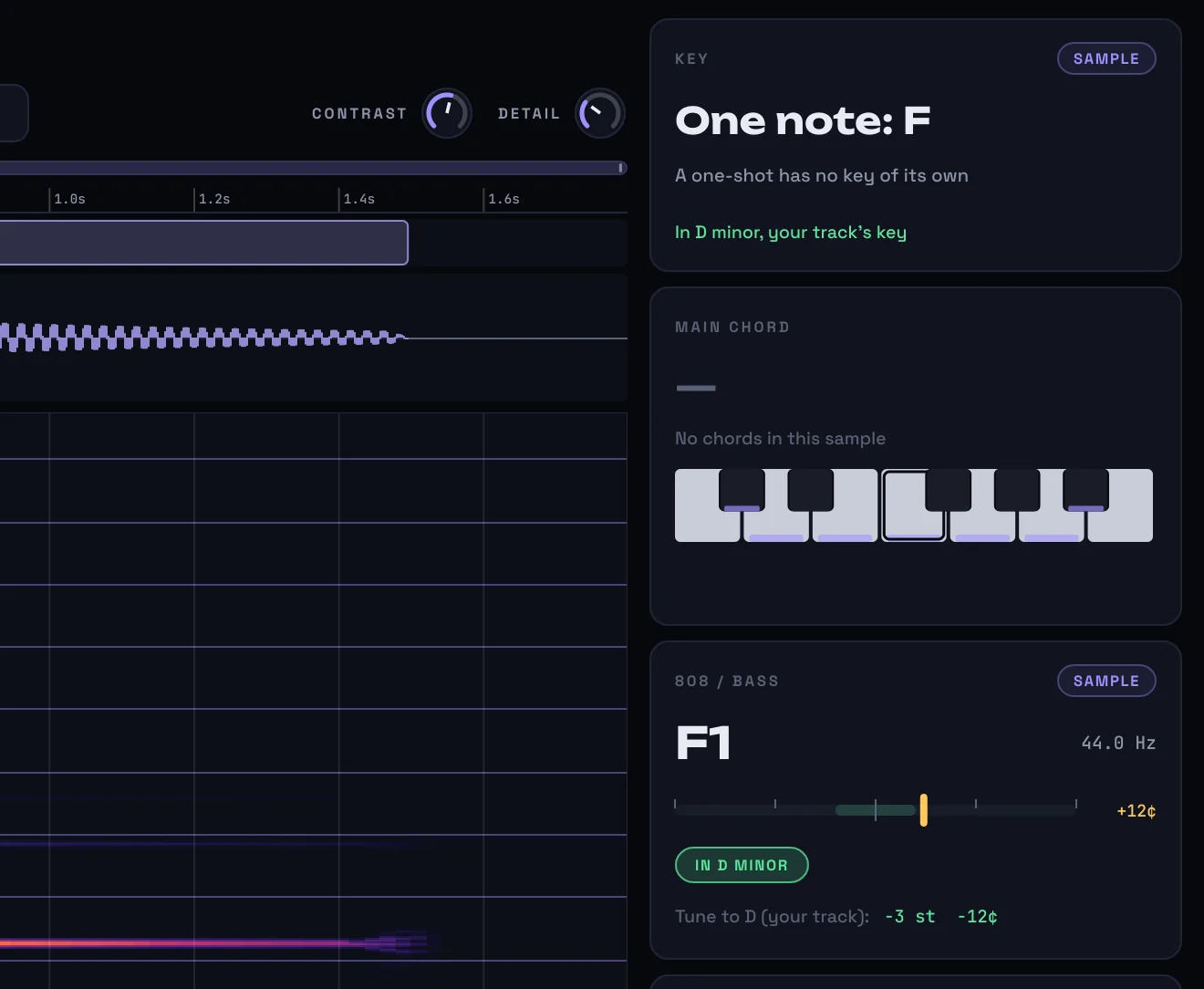
Tune your 808 to the beat
Drop an 808 and KeyLens names its note, says how far it is out of tune, and tells you how many semitones to move it to sit in your track's key.
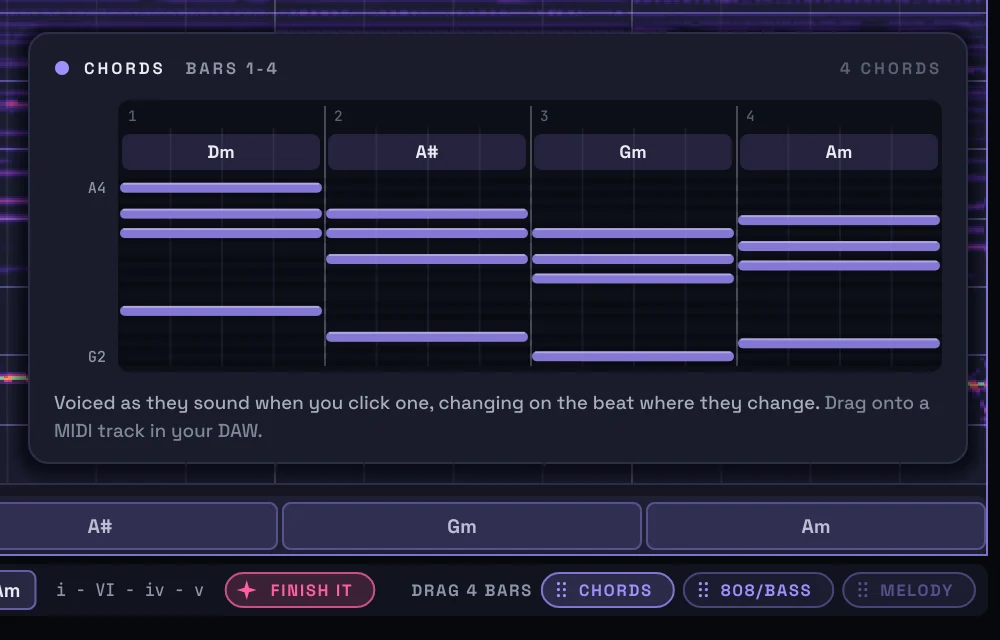
Chords straight into your piano roll
Drag the chords, the 808 line or the melody onto a channel as MIDI, voiced as they sound and changing where they change.
Finish a four-bar loop
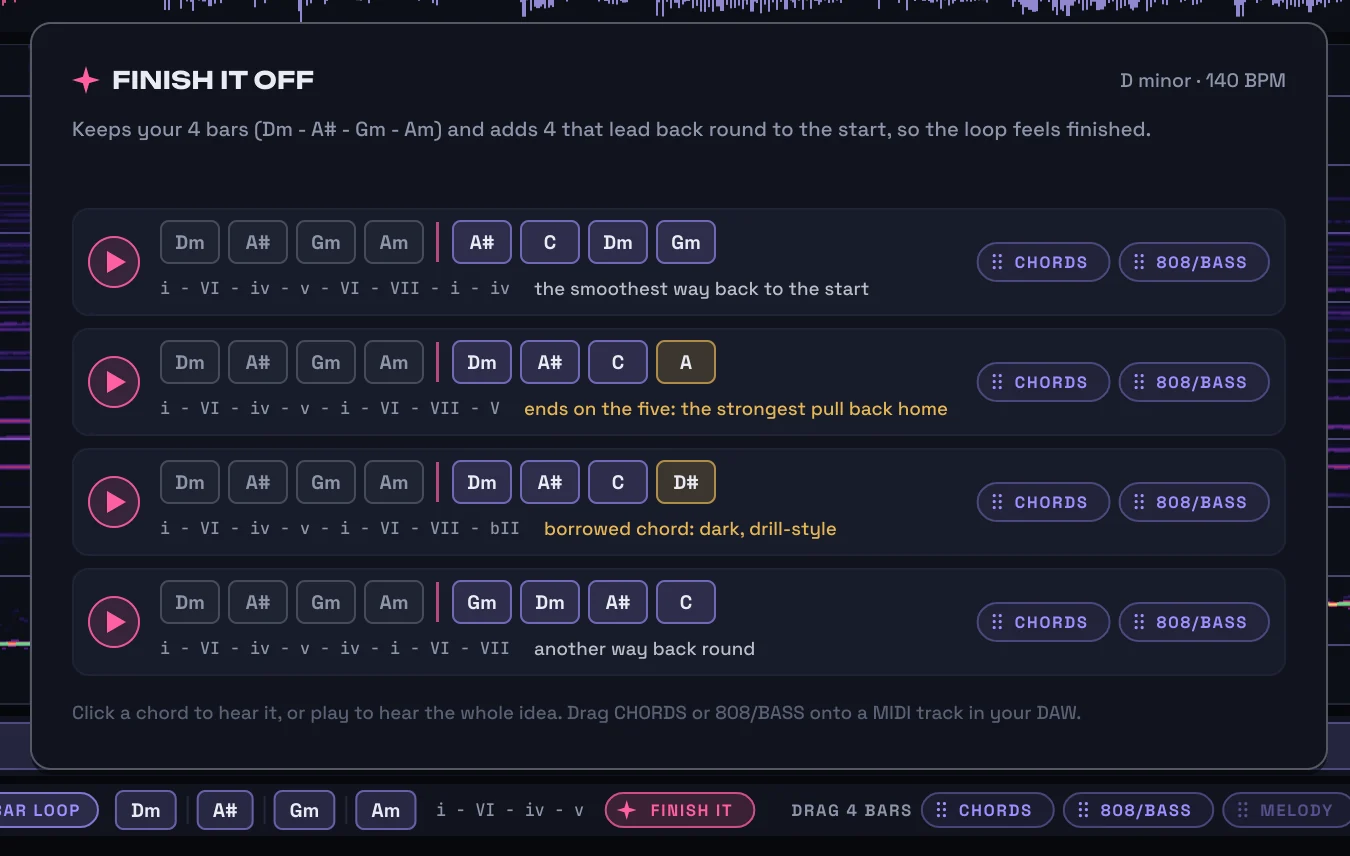
Got four bars? Finish It keeps them and suggests four more that lead back round to the start. Click to hear one, drag it to use it.
Check a new part fits
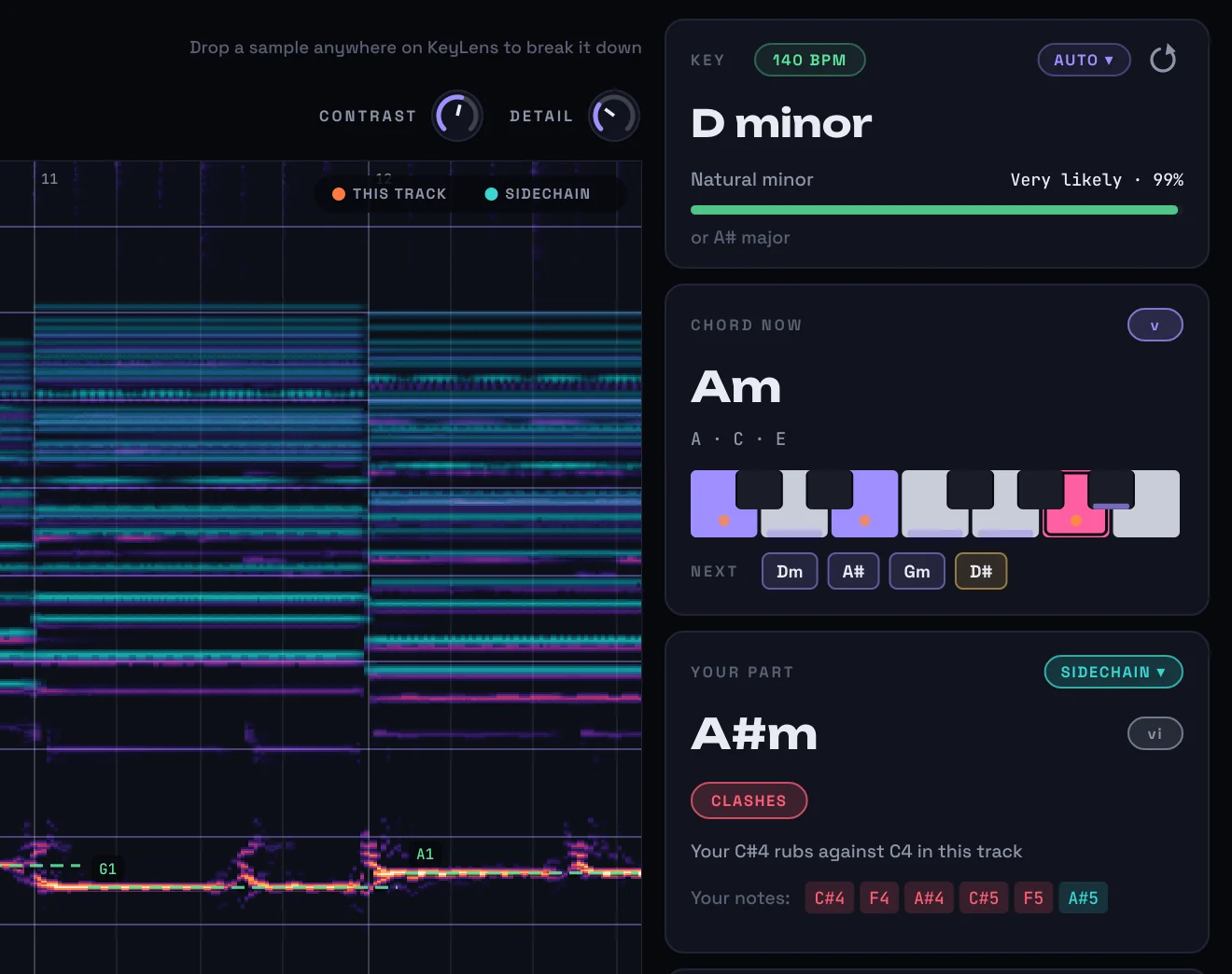
Send a melody or an 808 to KeyLens's sidechain and it tells you whether it fits the loop, or exactly which note clashes.
What's in it
- Live, as it playsKey, chord, 808, every note and the tempo, on a scrolling view with piano keys up the side.
- Any sampleWAV, AIFF, FLAC, OGG or MP3, read without playing it.
- Drag to MIDIThe chords, the 808 line with its slides, or the melody.
- Hear the chordsClick any chord to hear it over your loop. Next suggests what could follow.
- Note names your wayMiddle C named as your DAW names it, in sharps or flats.
- Untouched soundAudio passes straight through, with no latency.
Get KeyLens
Want to hear the day it's out? Email us and we'll tell you.
Prices in pounds. Any tax due where you live is added at checkout. When the trial ends, KeyLens locks its displays but never touches your sound, and your projects keep their settings.
- Your key arrives straight away, on screen and by email.
- Up to three computers, and you move it yourself from the plugin's menu.
- No internet in the studio? Activate with a file instead.
- Free updates. The plugin tells you, then installs them when you say so.
Questions
How sure is it?
KeyLens shows how sure it is of every key, and names the next most likely key when it isn't sure. Chords and melodies read best; drums alone have no key.
Does it change my sound or add latency?
No. Audio passes straight through, untouched, with no latency.
Which files can I drop in?
WAV, AIFF, FLAC, OGG and MP3, up to five minutes of each.
Does the key finder on this page upload my music?
No. It runs in your browser, so the file never leaves your computer.
Does it work in my DAW?
KeyLens is a VST3 plugin for Windows 10 and 11 (64-bit). It works in FL Studio, Ableton Live, Cubase, Studio One, Bitwig Studio, REAPER and other DAWs that load VST3 plugins. A Mac version is on the way.
How many computers can I use it on?
Up to three of yours with one key. You can move it to a new computer yourself, from the plugin's menu.
You need: Windows 10 or 11 (64-bit), a DAW that loads VST3 plugins, and an internet connection once to start the trial or activate. More help is on the support page.